 Tinta Code Themes
For everyone who writes code · Mac & Windows
One theme.
Everywhere you code.
Tinta gives your editors, IDEs and terminals one coordinated color theme. Pick a palette, pick a style, click Apply, and VS Code, JetBrains IDEs, Claude Code, Xcode and your terminal change together, on Mac and Windows. Undo is just as easy.
Download on the Mac App Store
Windows · Microsoft StoreComing soon
Works with
- Visual Studio Code
- Cursor
- Windsurf
- VSCodium
- Kiro
- Antigravity
- Trae
- IntelliJ IDEA
- PyCharm
- WebStorm
- GoLand
- PhpStorm
- RubyMine
- CLion
- Rider
- DataGrip
- RustRover
- Android Studio
- Claude Code
- Claude desktop · Code tab
- Windows TerminalWindows
- PowerShellWindows
- XcodeMac
- ZedMac
- TerminalMac
- iTerm2Mac
- GhosttyMac
- WarpMac
- zshMac
- StarshipMac
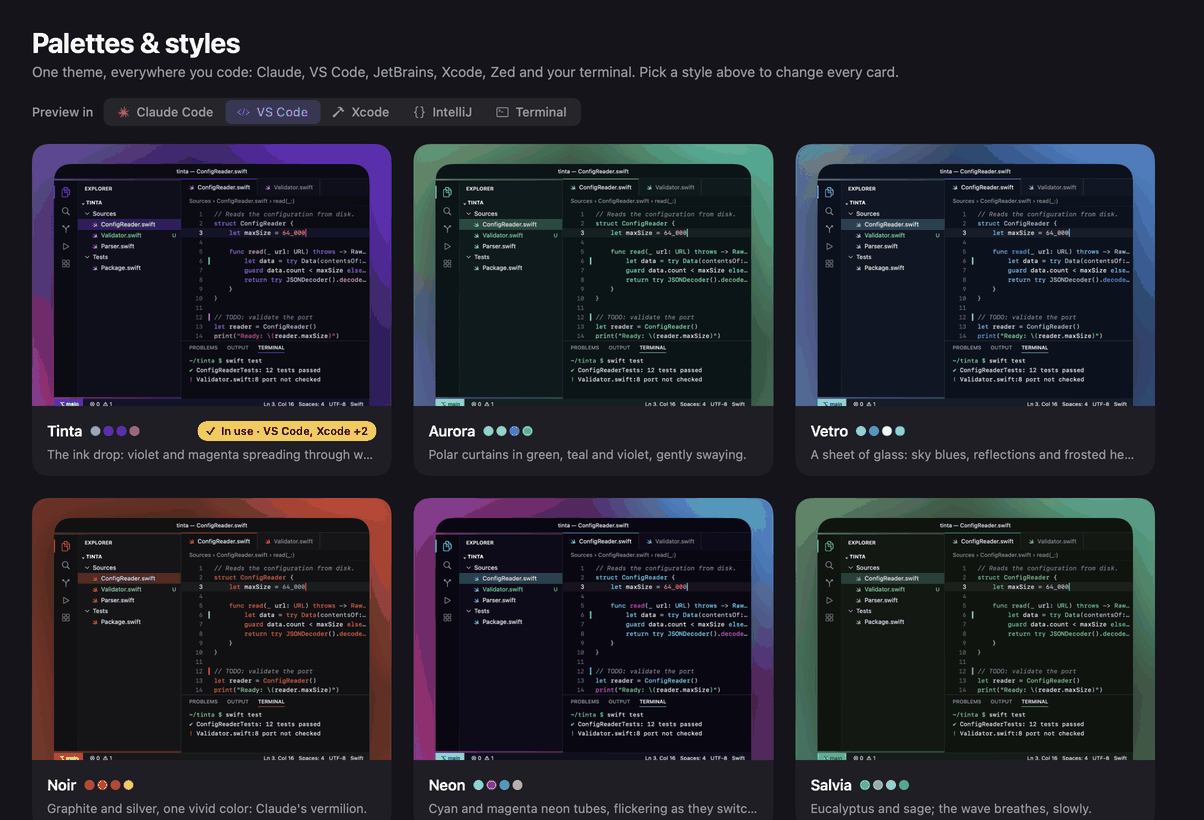
Live preview
Pick a palette.
Pick a palette.
Watch everything follow.
These windows are drawn right here, in your browser, from the exact colors Tinta writes into each editor. Try a few themes from the gallery and a style, and see them everywhere at once.
Tinta
Tinta Pro
A few examples from a growing gallery. Previews are simplified: in the app every editor gets its full theme, and each palette brings its own signature effect to the Claude Code tab.
One click
Link once. Apply anywhere.
No config files to copy, no extensions to hunt for, no settings to remember in five different apps.
01
Choose
Browse palettes and styles with live previews of your editors, the Claude Code tab and the terminal, before anything changes.
02
Link once
Link each editor one time (on a Mac, macOS asks you to choose its folder). Tinta writes only theme and settings files, and keeps a copy first.
VS Code
~/Library/…/Code/UserLinkedIntelliJ IDEA
~/Library/…/JetBrainsLinkedXcode
…/FontAndColorThemesLinkedGhostty
~/.config/ghosttyLinked03
Apply
One click recolors every linked editor together, or give each one its own variant of the same palette. Unlink puts everything back.
Apply to all linked editors
VS CodeCursorIntelliJ IDEAXcodeZedClaude CodeiTerm2zsh
Inside Tinta
The gallery, up close.
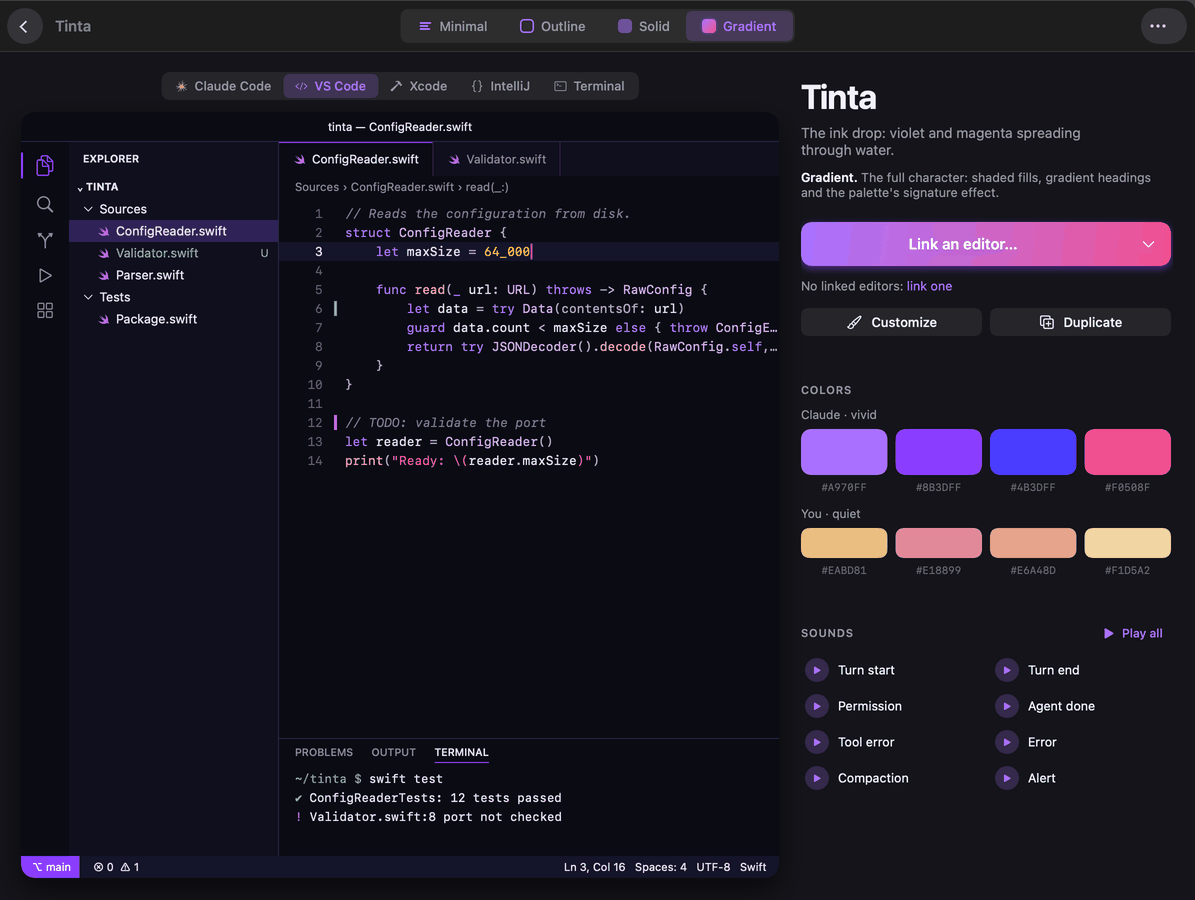
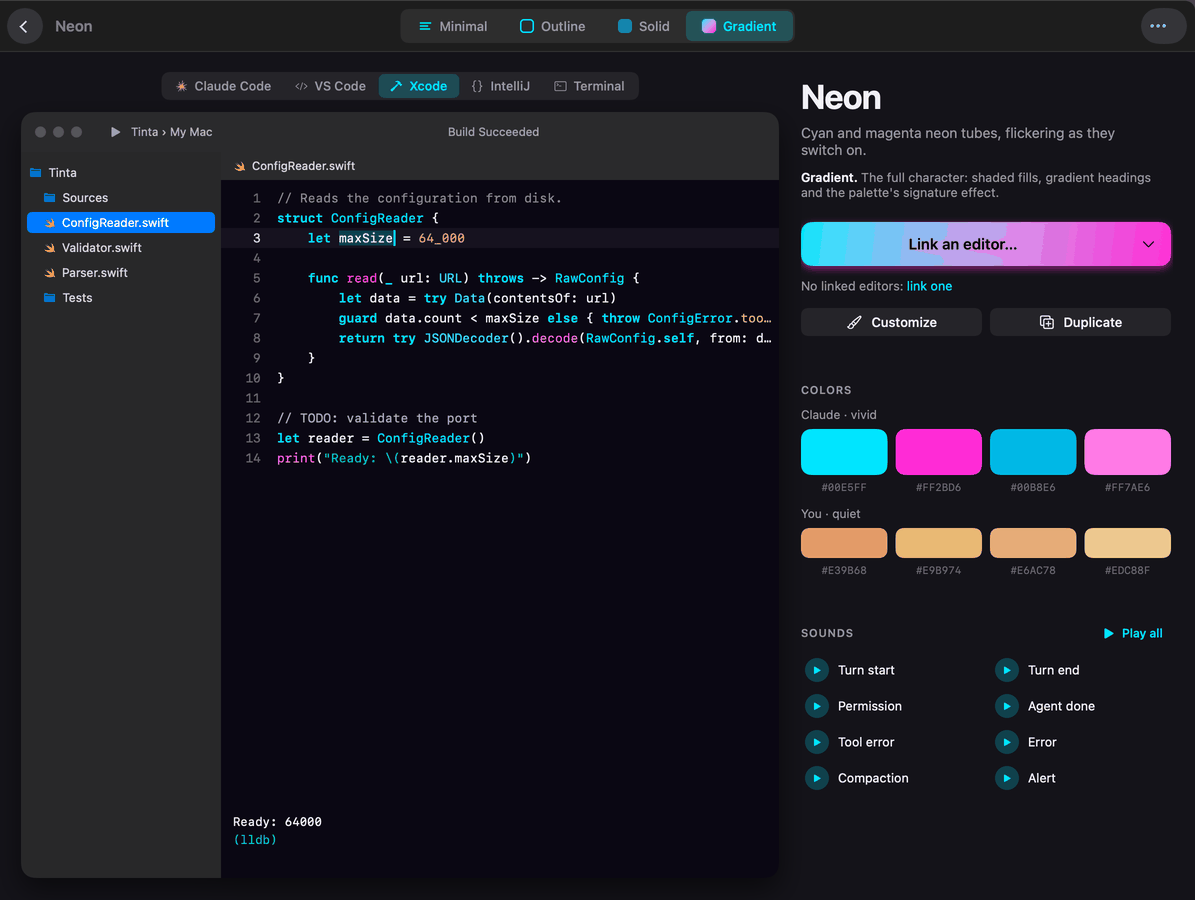
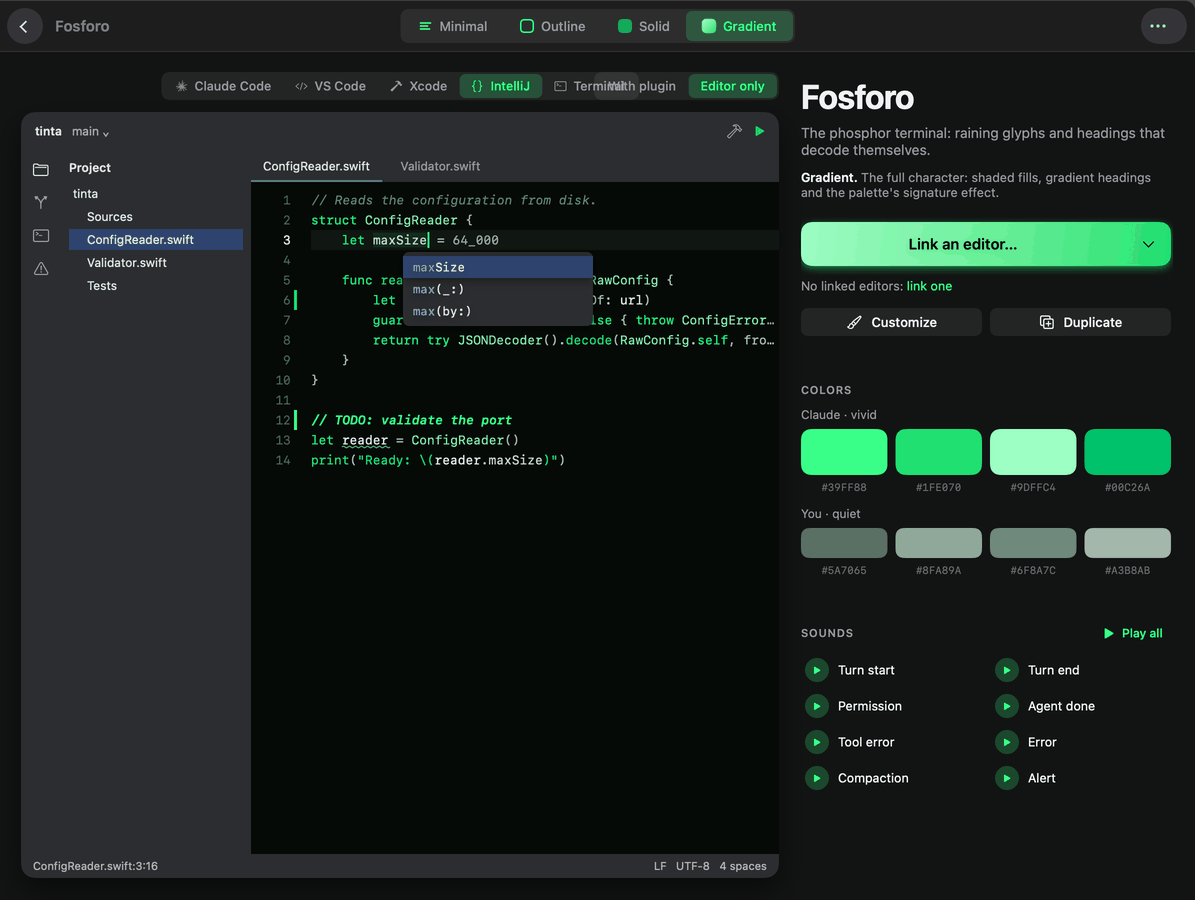
Every theme in the gallery has its own page: switch the preview between editors, compare styles, hear its sounds, then link and apply. These are real screens from the app.
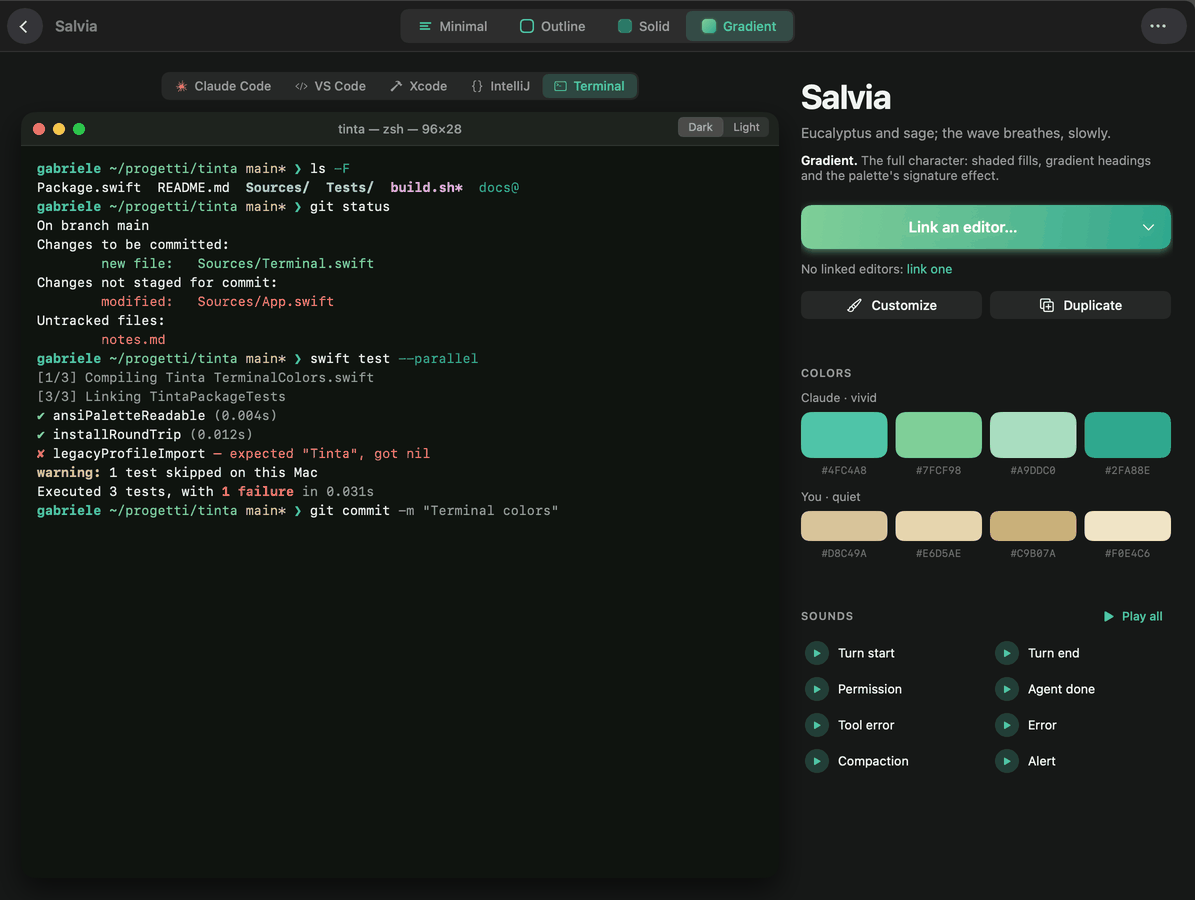
Previews you can trust
The previews use the same colors Tinta writes to disk, so what you see is what your editor gets.
Styles for every taste
From Minimal, color on text only, to Gradient, with shaded fills and each palette's signature effect.
A growing gallery
New themes are added regularly, and Tinta Pro includes every one of them.
Thoughtfully built
Colors only. Nothing else.
Safe by design
Nothing changes until you link a tool. Tinta writes only theme and settings files, keeps a copy before changing one, and Unlink restores your previous setup.
Private
No account, no ads, no tracking. Only anonymous usage statistics, never your files or code, and you can turn them off in Settings.
Instant switching
Optional free companions switch themes instantly and color the whole interface: an extension for VS Code and its forks, a plugin for JetBrains IDEs, an open-source plugin for Claude Code.
Make it yours Pro
Change any color, the labels and the waiting animation, then save it as your own theme. Previews update as you type.
Sounds, if you like Pro
Soft sounds in the Claude Code tab when a reply is ready, a permission is needed or something fails. Off by default.
One palette, many variants
Apply the same theme everywhere, or give each editor its own style of the same palette so everything still belongs together.
Pricing
Free to start. Pay once for everything.
No subscription, no account. Updates included.
Tinta
Free
Everything you need to theme every editor.
- The complete Salvia palette, in every style
- Every supported editor, IDE and terminal
- Live previews of every theme in the gallery
- One-click apply, one-click undo
Download free for MacWindows · Microsoft StoreComing soon
Tinta Pro
One purchase
A single in-app purchase. Yours for good.
- Every theme in the gallery, in every style
- Future themes included as they arrive
- Your own custom themes
- Sounds and signature effects
- Updates included, no subscription
The price is shown in the store for your region. Restore it on any Mac with the same Apple Account, or on any PC with the same Microsoft account. A purchase on one platform does not carry over to the other.
FAQ
Questions, answered.
Which editors and terminals does Tinta support?
On Mac and Windows: Visual Studio Code and its forks (Cursor, Windsurf, VSCodium, Kiro, Antigravity, Trae), JetBrains IDEs such as IntelliJ IDEA, PyCharm and WebStorm, and the Code tab of the Claude desktop app and Claude Code. On Windows also Windows Terminal and PowerShell; on Mac also Xcode, Zed, Terminal, iTerm2, Ghostty, Warp and the zsh prompt. Each editor is installed separately; Tinta does not include them.
Does Tinta work on Windows?
Yes. Tinta for Windows comes from the Microsoft Store and themes VS Code and its forks, JetBrains IDEs, the Claude app's Code tab and Claude Code, Windows Terminal and PowerShell. Tinta Pro is bought separately on each platform: a purchase on Mac does not carry over to Windows, or the other way round.
Will Tinta change anything without asking?
No. Nothing changes until you link a tool, and on a Mac macOS asks you to choose each folder. Tinta writes only theme and settings files, keeps a copy before changing a settings file, and “Unlink” removes exactly what it added.
What is free, and what does Tinta Pro add?
Tinta is free with the Salvia theme in every style, and every theme in the gallery can be previewed for free. Tinta Pro unlocks every theme in the gallery, including future ones, plus sounds, effects and your own custom themes.
Is Tinta Pro a subscription?
No. It is a one-time in-app purchase with updates included. To use it on another Mac, sign in with the same Apple Account and press “Restore Purchases” in Tinta's Store; on Windows it follows your Microsoft account.
Do I need the companion extensions?
No, they are optional and free. Without them the theme applies when the editor reloads; with them VS Code-family editors and JetBrains IDEs switch instantly and color their whole interface. The Claude Code tab uses the free, open-source Tinta plugin for Claude Code.
Does Tinta collect data?
Only anonymous usage statistics, with no personal data and no tracking, which you can turn off in Settings. See the privacy policy.
More answers on the Support page.

Make every window yours.
One theme, everywhere you code. Free to start, on Mac and Windows.
Download on the Mac App StoreWindows · Microsoft StoreComing soon